.png)




How to get the outfit ID
How to get the outfit ID
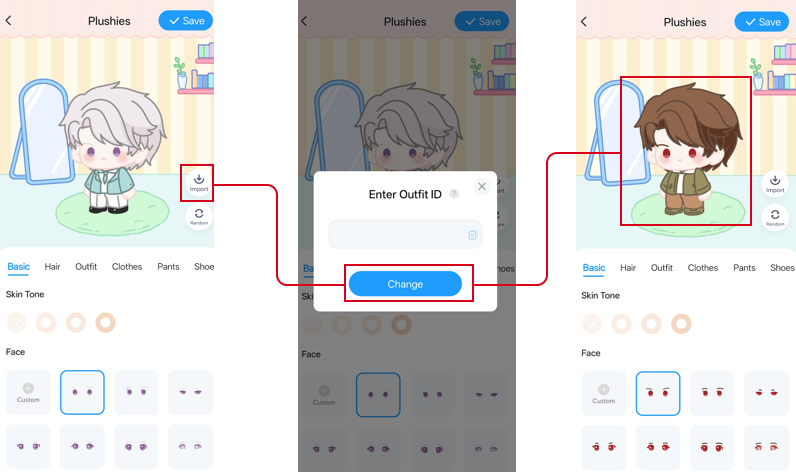
1、On the Plushies page, tap photo. After generating your Plushie’s outfit, tap Share to get the outfit ID.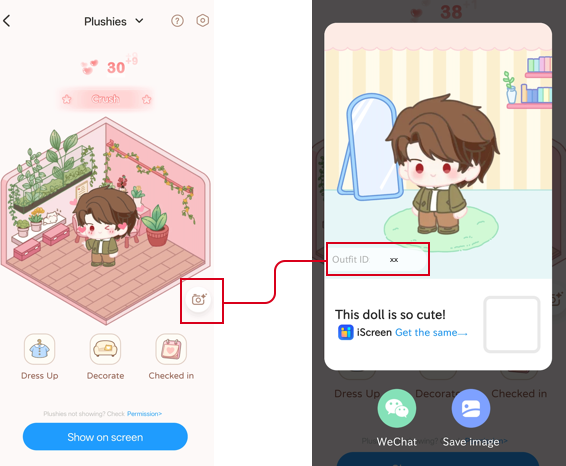 2、You can share the Outfit ID with friends or get the ones you like from social media. On the Plushies dressing page, tap Import, enter the corresponding Outfit ID, and you can use the exact same style!