.png)




Tutorial for VIVO Widgets
Tutorial for VIVO Widgets
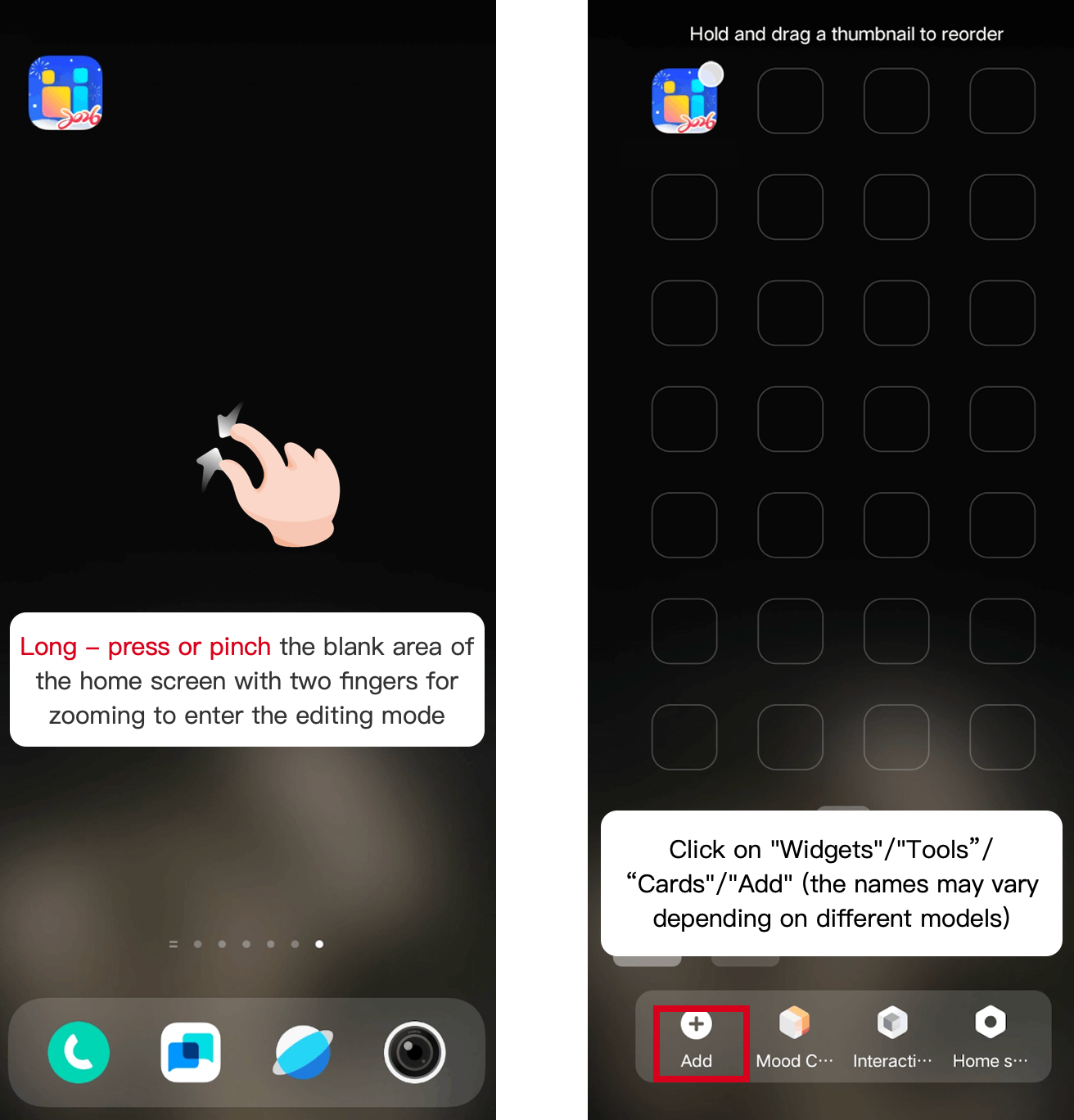
1.Return to the homescreen. Long - press or pinch the blank area of the homescreen with two fingers for zooming to enter the editing mode. Then click on “Add”/“Widgets"/"Tools”/“Cards"(the names may vary depending on different models)
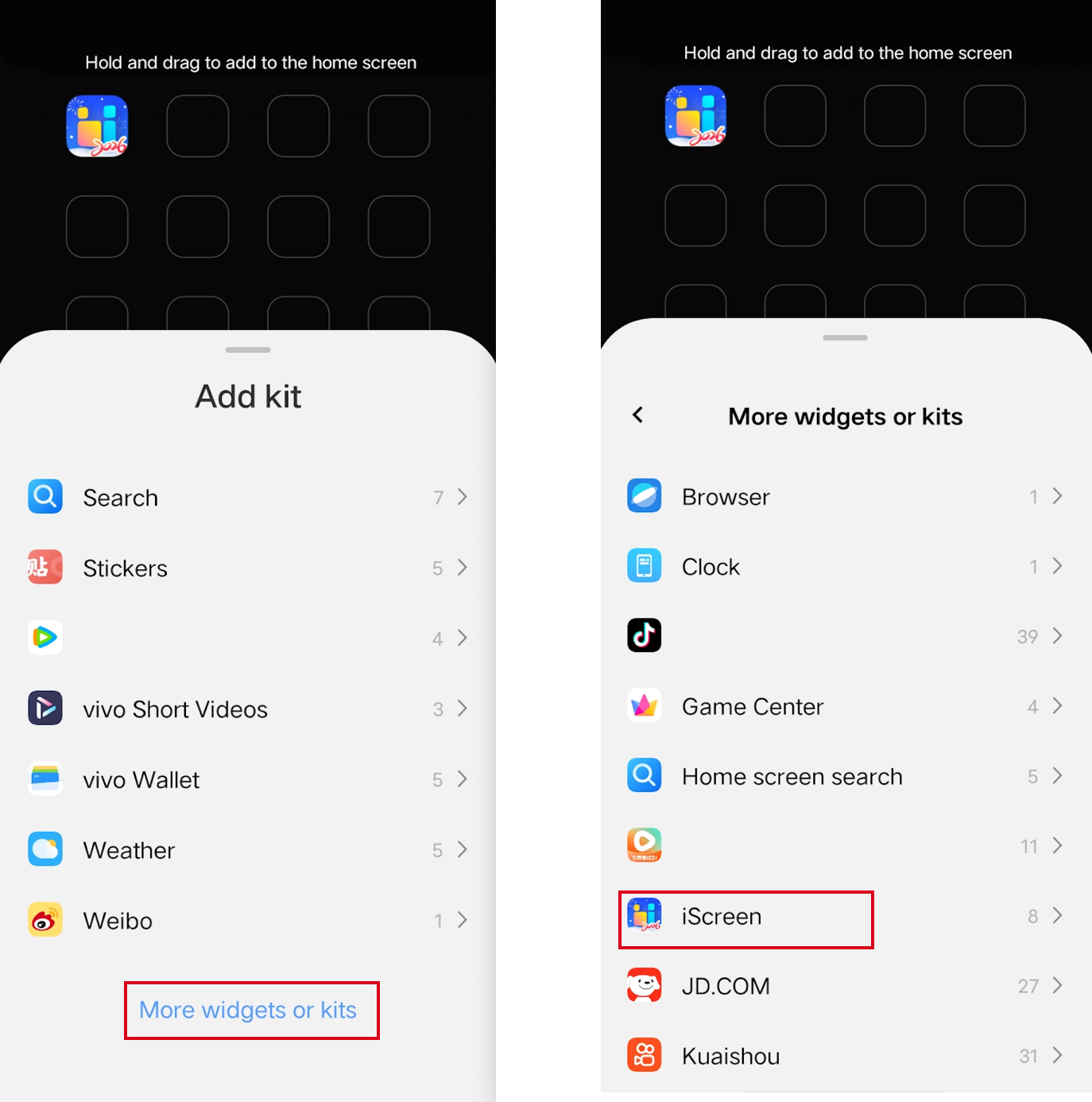
2、Scroll down to the bottom of the list, click [More widgets or kits] below, and find iScreen.
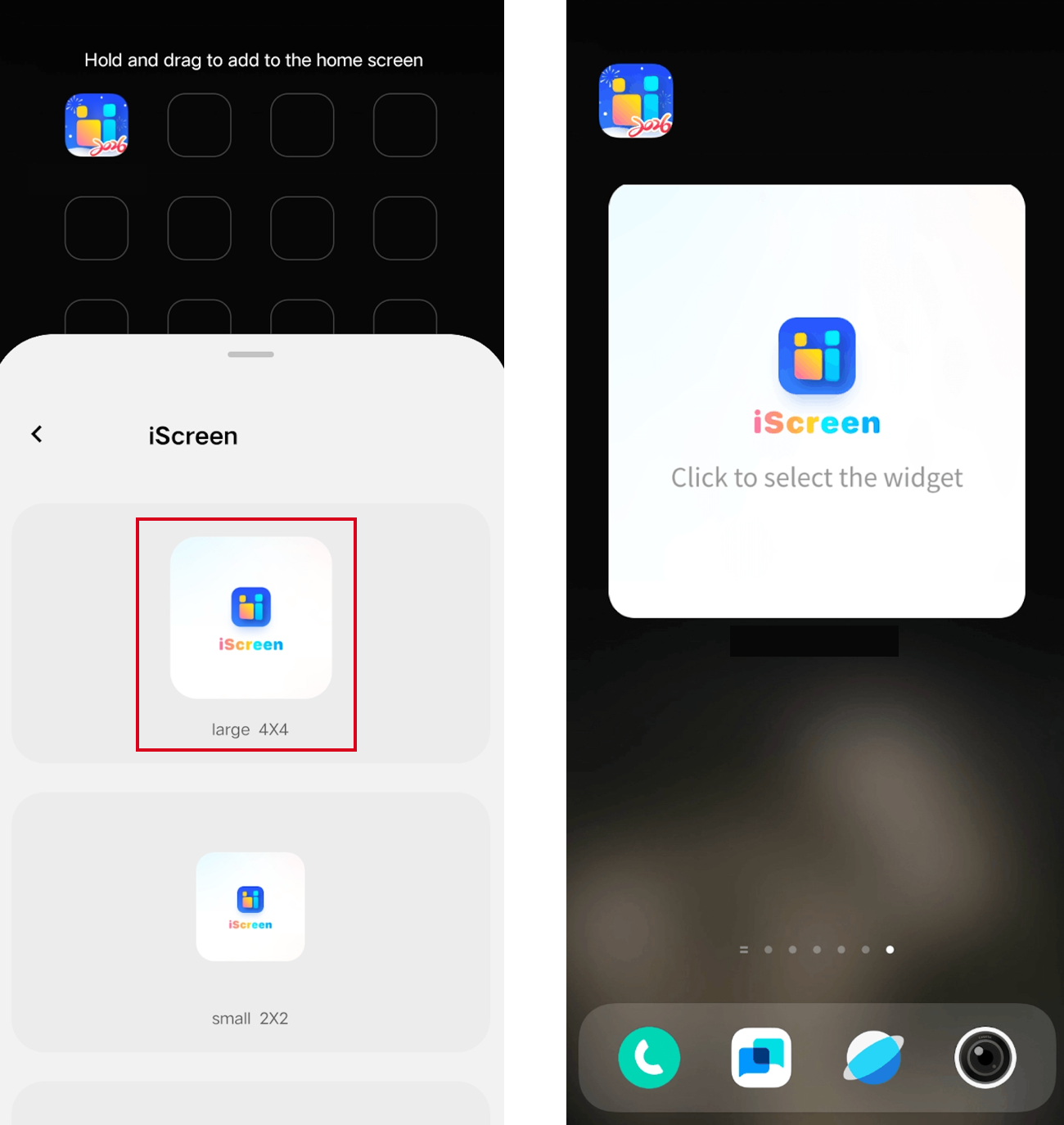
3.Slide to select the widget size. Click or drag the widget onto the homescreen.
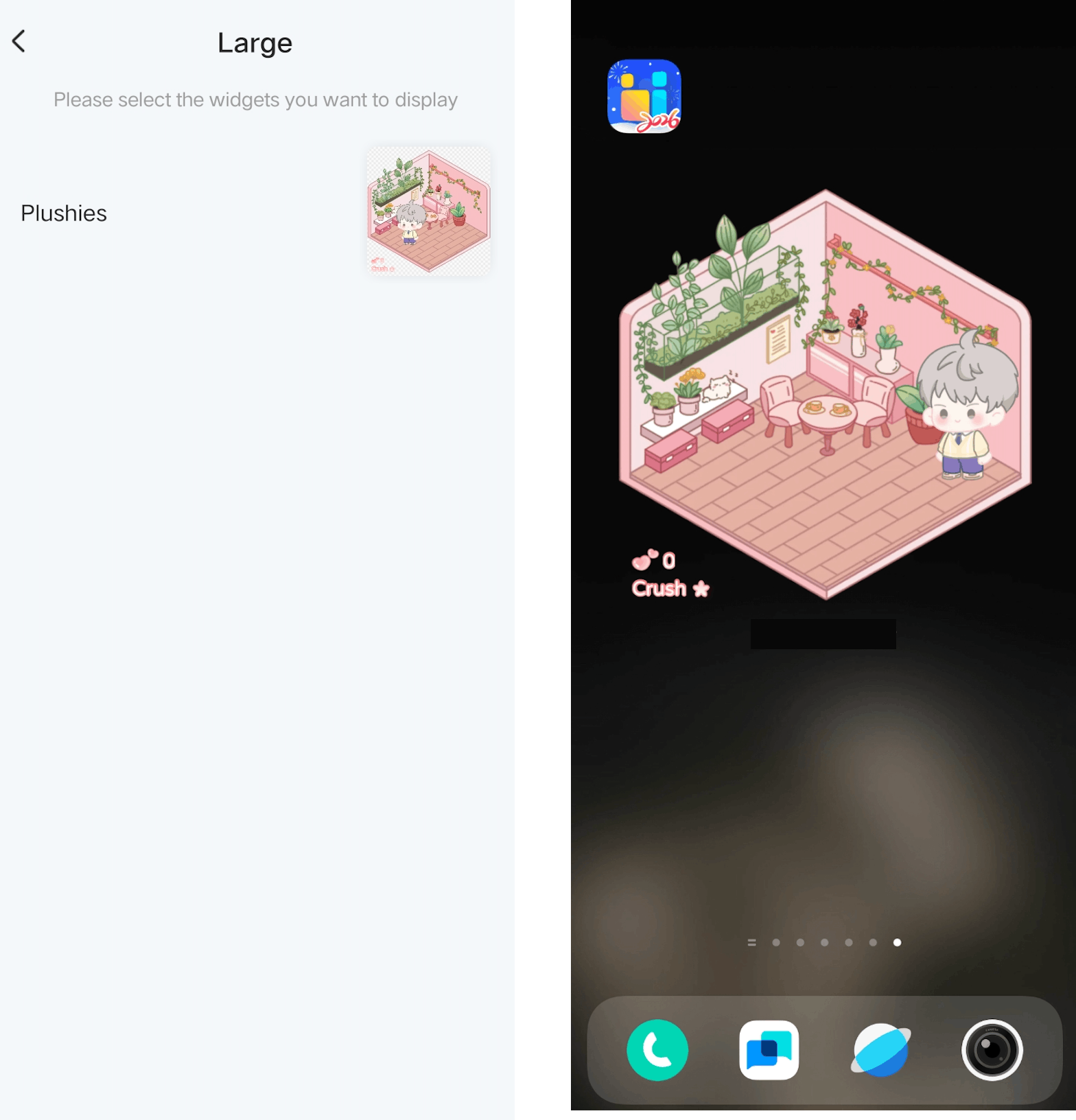
4.Click on the widget, select the widget you want to display, and the addition of the widget is completed.