.png)




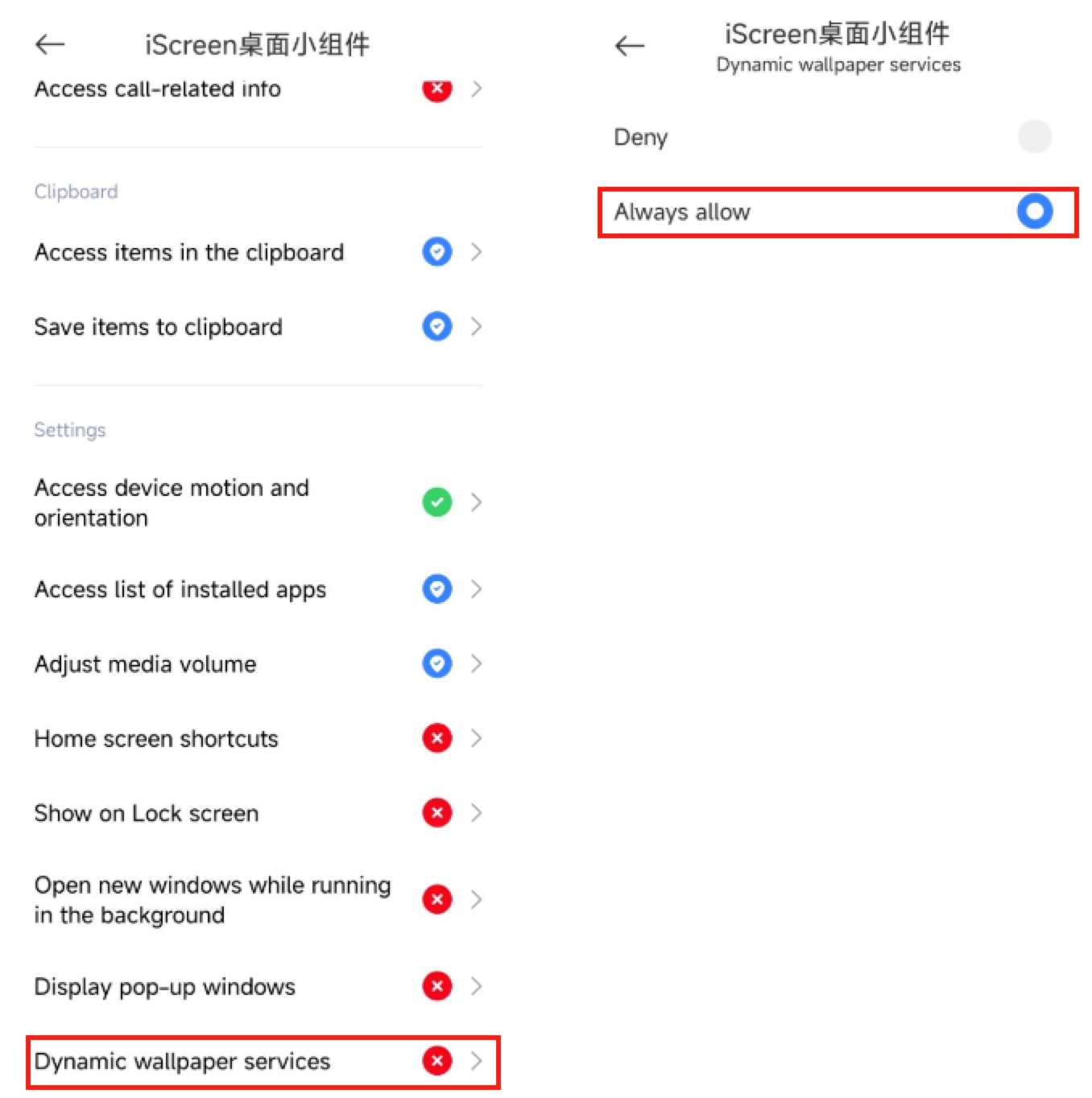
Xiaomi mobile phone dynamic wallpaper application failed?
Due to system restrictions on Xiaomi phones, you need to enable the Dynamic Wallpaper Service to apply dynamic wallpapers with one click. Here is the tutorial to enable the Dynamic Wallpaper Service:
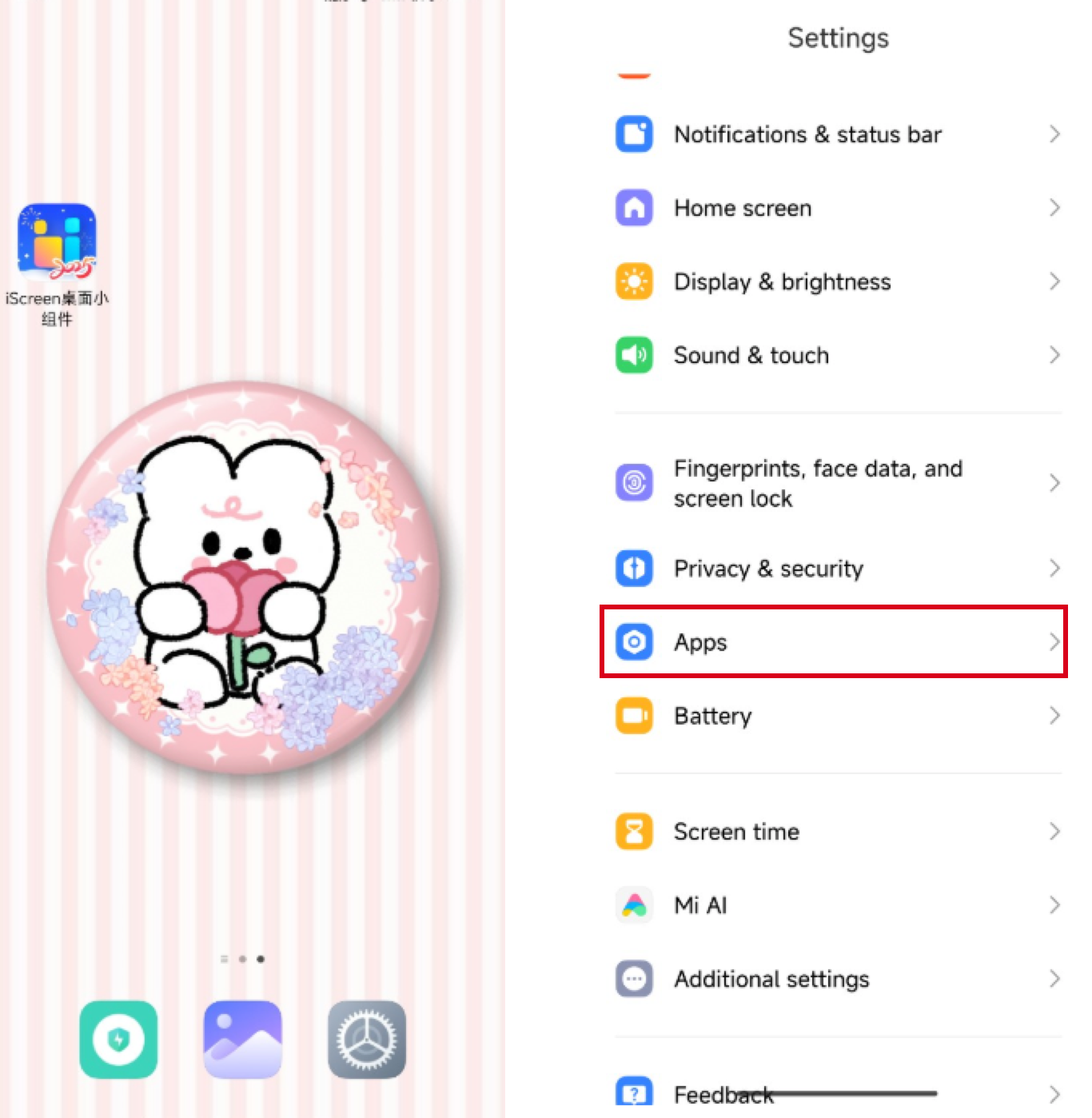
1.Find System Settings: Locate the system
settings on your home screen and open it.In the settings, click on Apps/Application Settings.
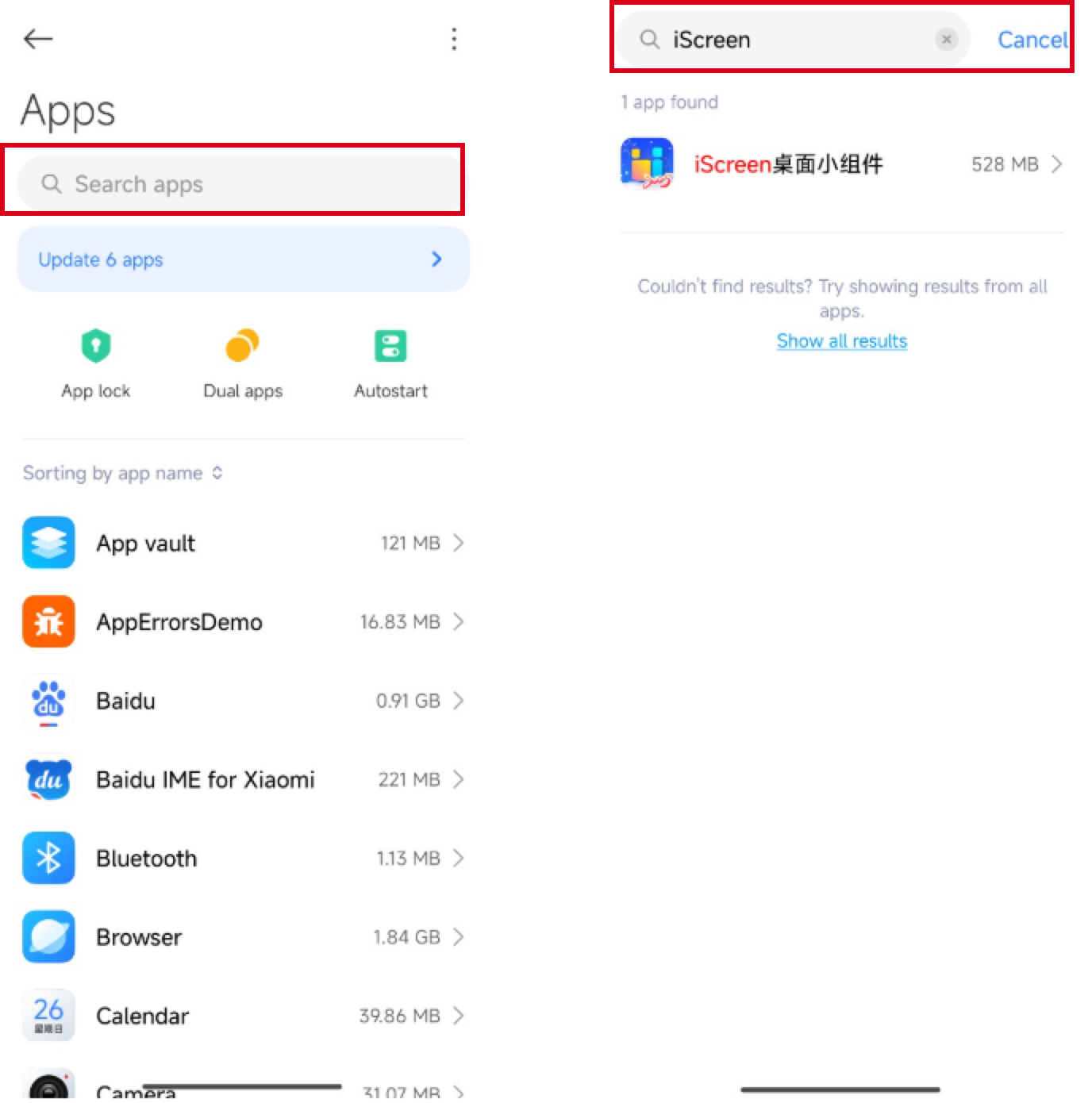
2. Search for iScreen: In the application settings, search for iScreen and click on it.
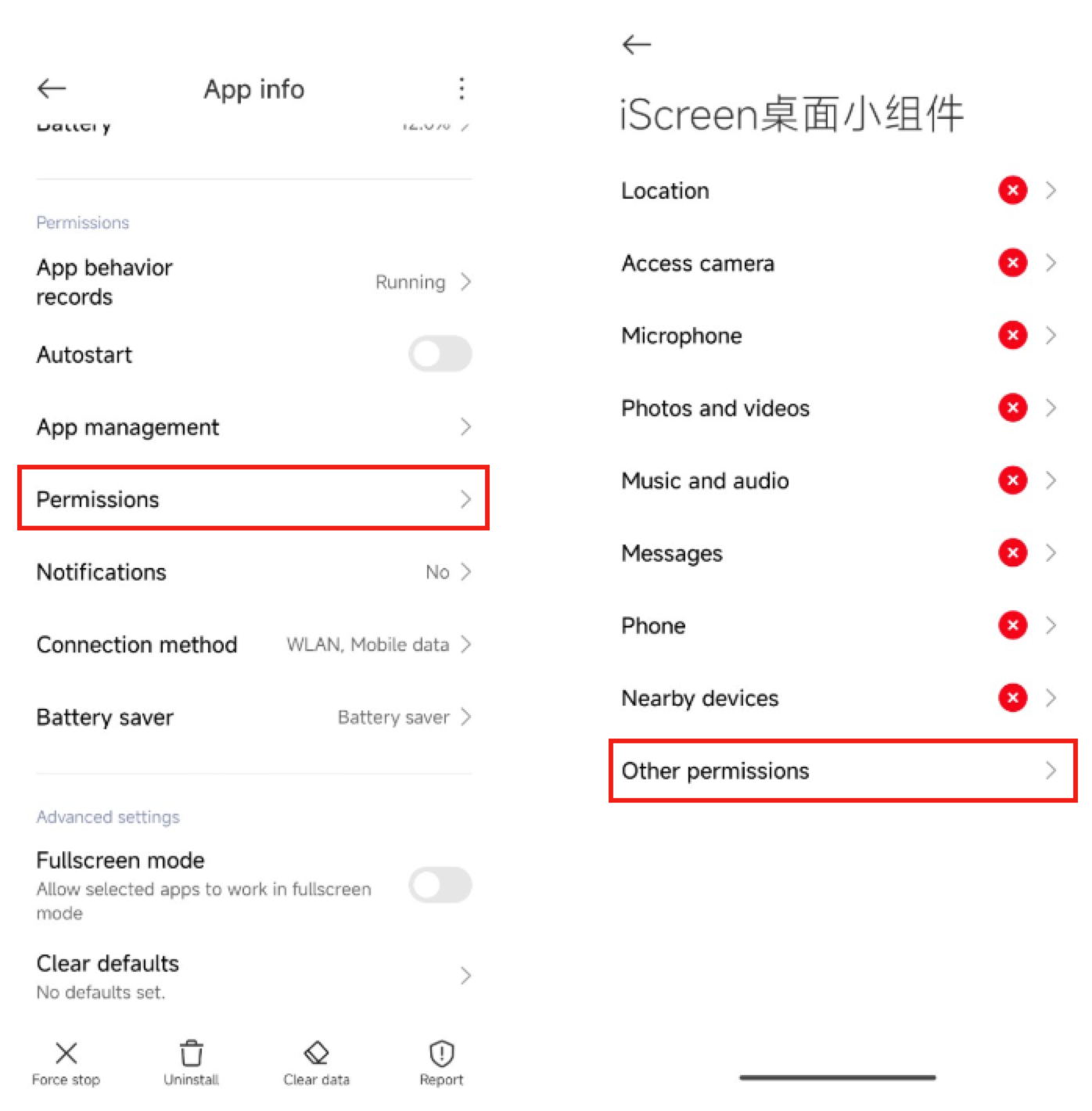
3. Manage Permissions: In the iScreen App info, find Permissions Management and click on it, then locate Other Permissions.
4.Enable Dynamic Wallpaper Service: In Other Permissions, find the Dynamic Wallpaper Service and click to enable the Dynamic Wallpaper Service for iScreen.