.png)




How to add to Control Center
Only supported for iOS18 and above users.
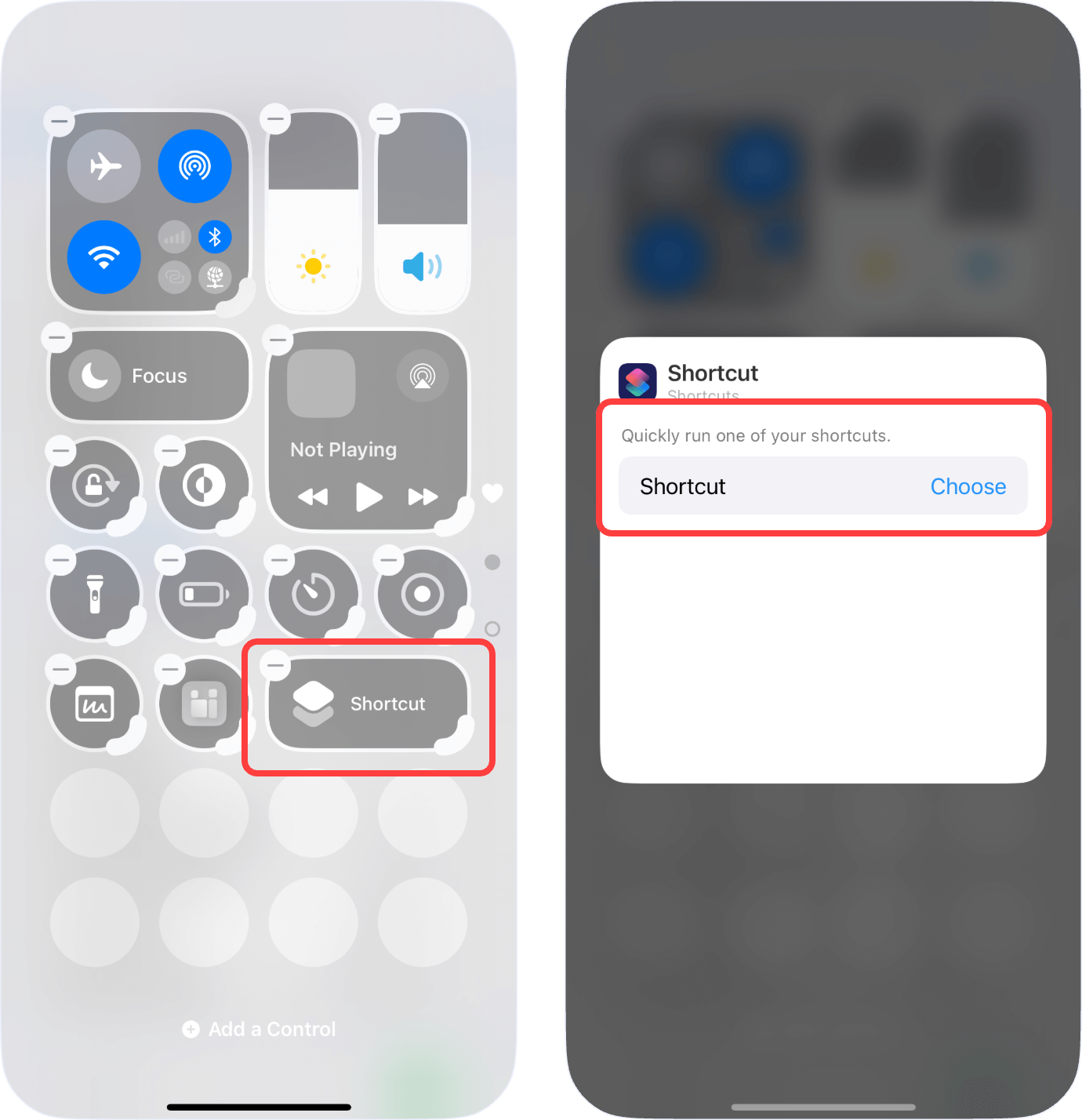
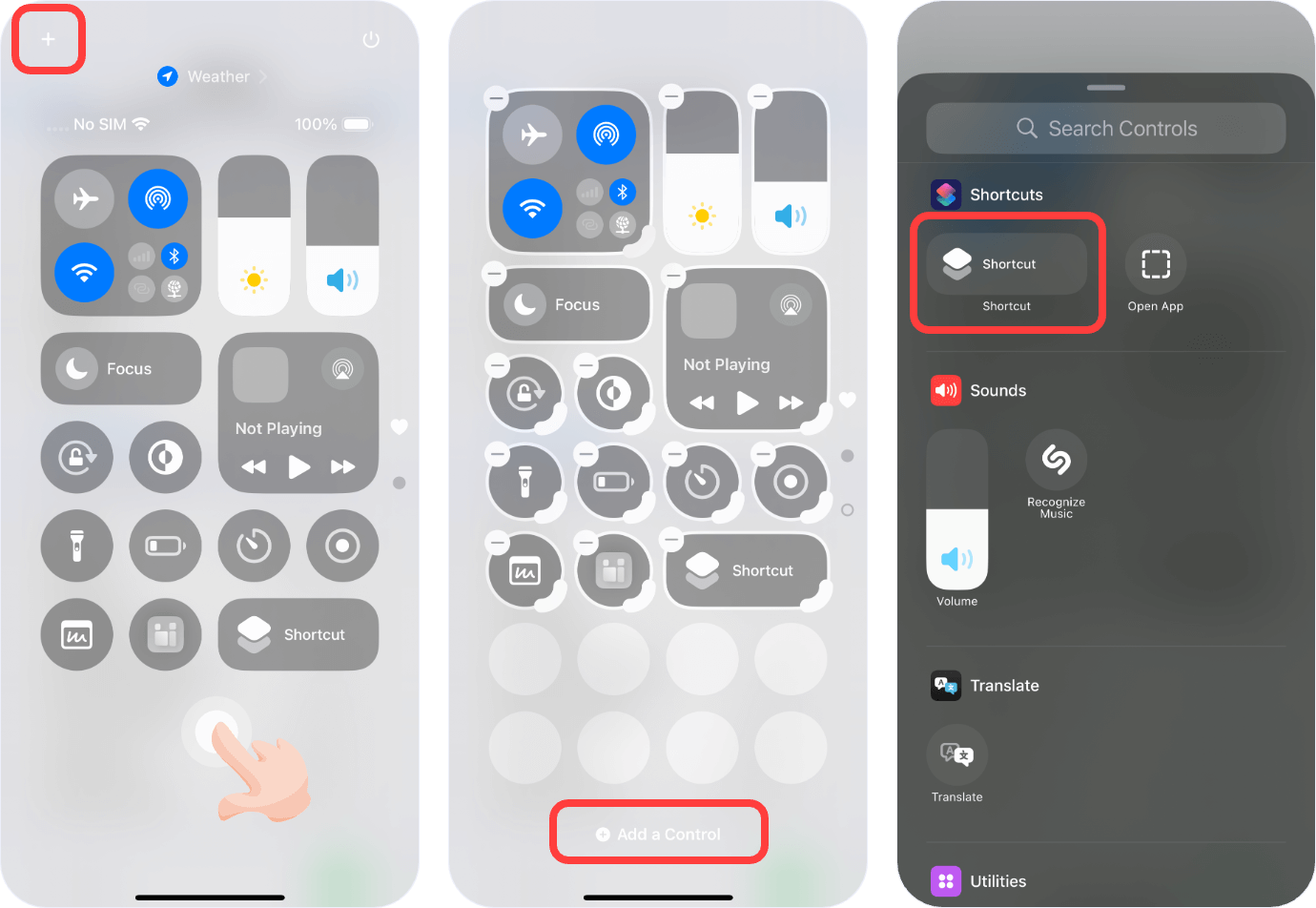
1. Tap the "Add" button at the top right corner or long press on an empty area, then click on "Add Control". Find the Shortcuts app and add the shortcut you want to run.