
.png)




How to install standby widget
1. Enter the standby widget page, select the standby widget you want to add, and click "Save to My Widget";
2. Lock the phone screen and charge it, let it sit horizontally, wait for the "standby" button to enter, and slide it to the standby widget page (the first use will default to the widget page);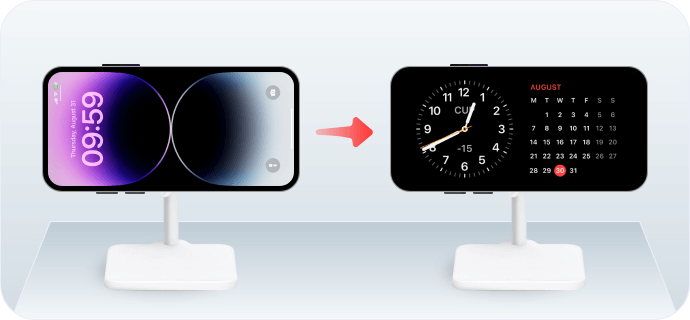
3. Long press the left widget area to edit and stack;
4. Click on the "+" in the upper left corner, find iScreen in the left list, and click "Add Widget";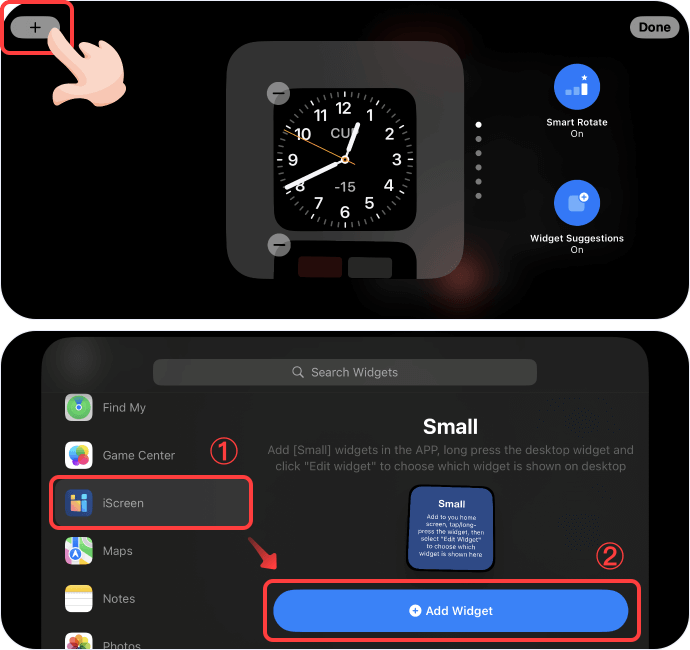
5. Click on the blank widget just added to the stack, and select the newly saved standby widget in the "Current Widget";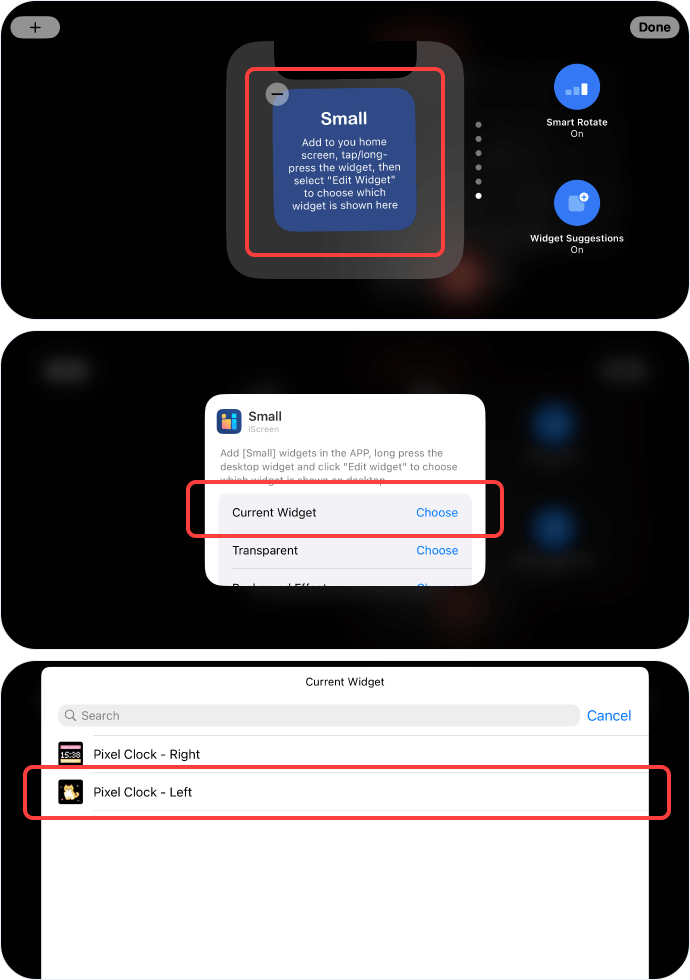
6. Return to the editing stack, turn off close the Smart Rotate and Widget Suggestions on the right (to prevent the system from automatically switching small Widgets), and click 'Done';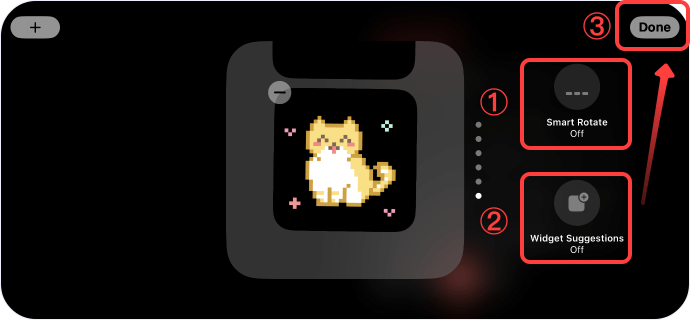
7. Long press the right widget area and add the right widget in the same way. The standby widget is added;