
.png)




Not VIP after payment?
Method 1: Try clicking [More Tabs] - [VIP Card] - then click [Restore Membership] / [Restore Purchase].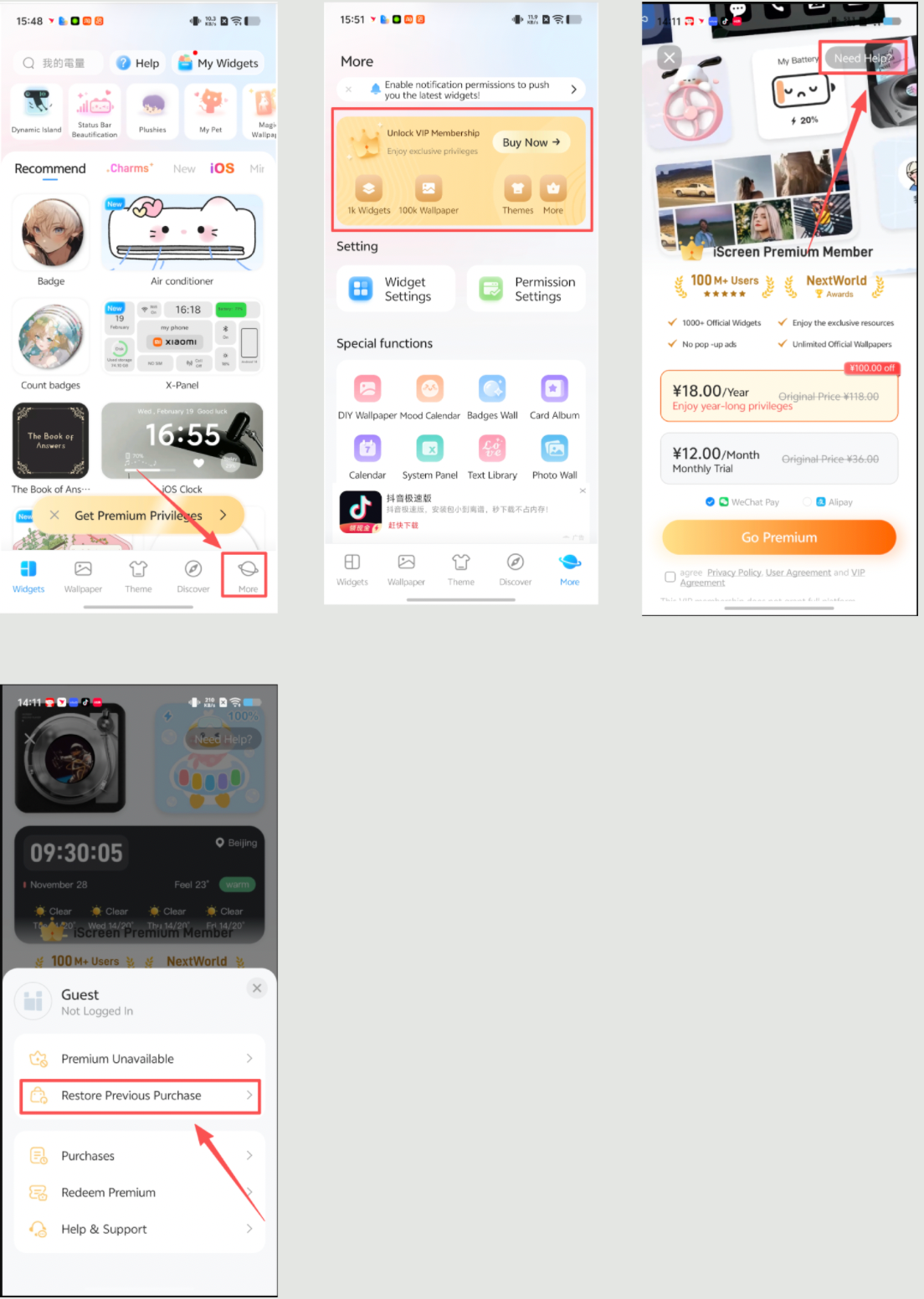
Method 2: Provide a screenshot of the purchase
a) If you are a member who has purchased a subscription for an Android device:
i) For payments via WeChat or Alipay, please provide a screenshot of the order purchase and send it to [More Tab] - [Feedback]. Enter the text "Restore Membership 77" in the "Questions/Suggestions" field, and we will process your request promptly.
ii) For payments made via the Google Play Store, please provide a screenshot of your Google purchase order. The purchase receipt will be sent to your Google email. You can then send the screenshot to [More Tab] - [Feedback] and enter the text "Restore Membership 77" in the "Questions/Suggestions" field, and we will process your request more quickly.
b) If you are a member user who purchased a subscription for a Harmony OS device, please provide a screenshot of the order purchase from WeChat or Alipay, send it to [More Tab] - [Feedback], and enter the text "Restore membership 77" in the "Questions/Suggestions" field. We will process your request more quickly.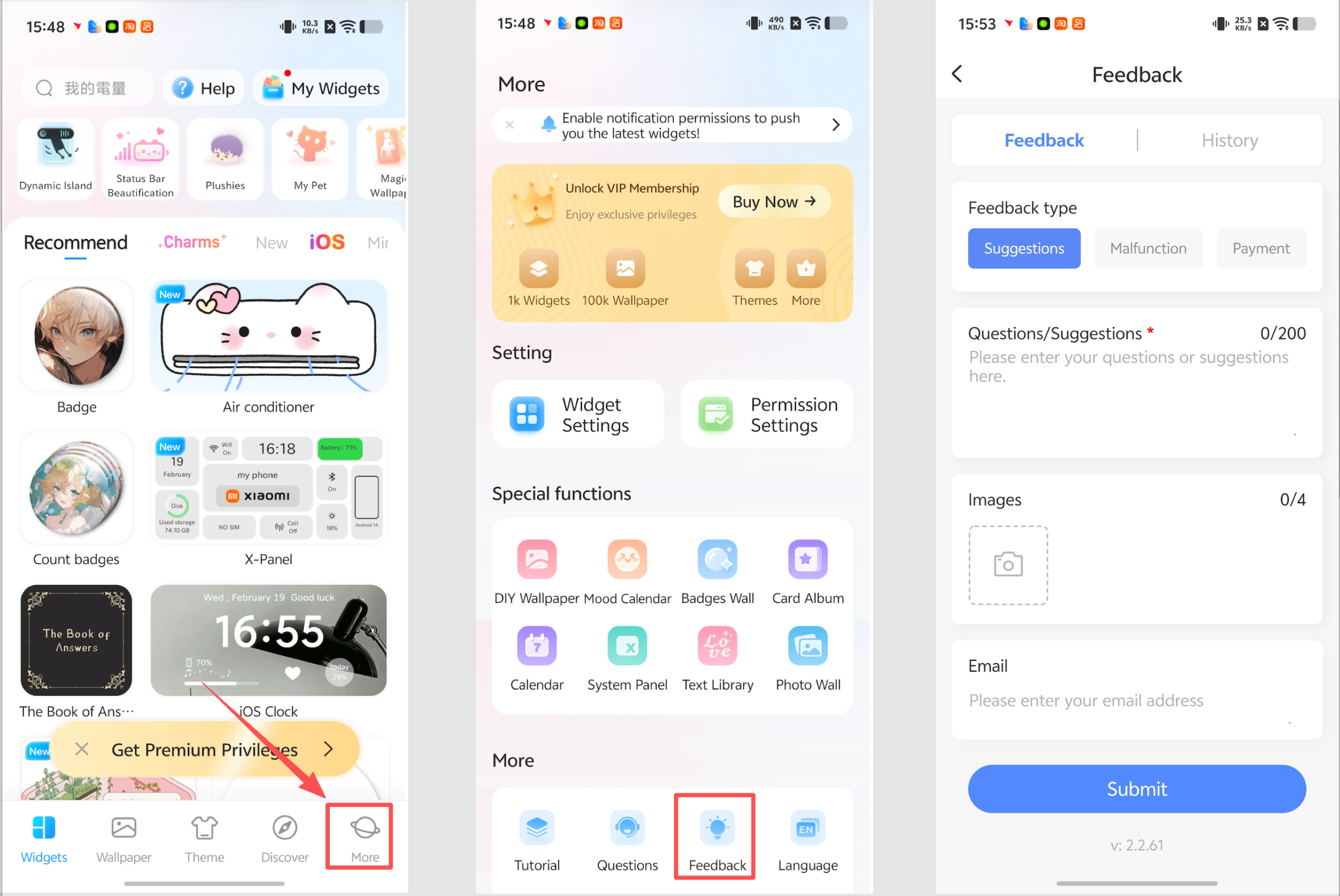
The iScreen VIP membership currently does not support cross-platform interoperability. Thank you for your understanding.