.png)




How to add to the lockscreen
Only supported for iOS18 and above users.
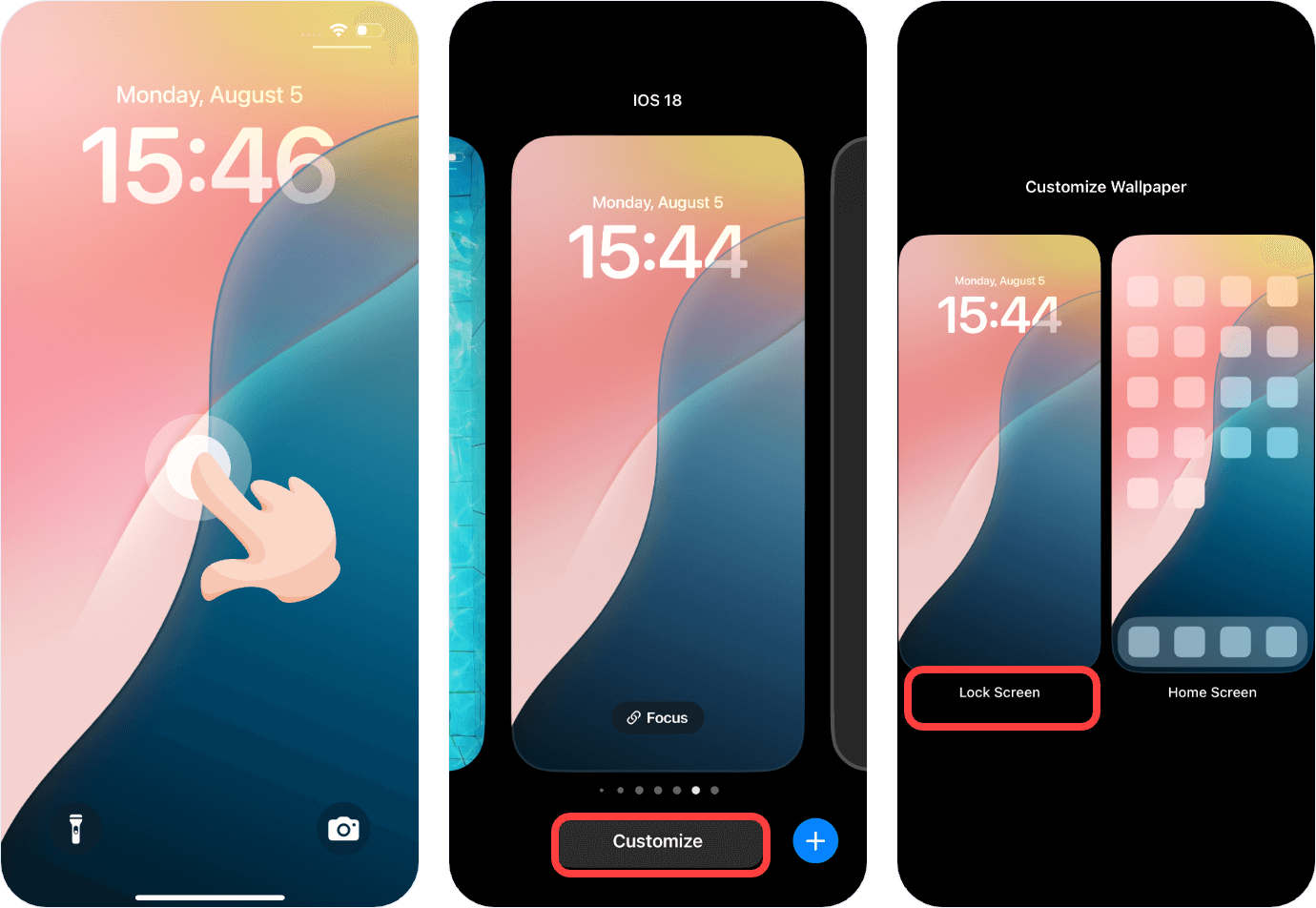
1. Long press on an empty area of the lock screen, click on 【Customize】, then click on 【Lock Screen】.
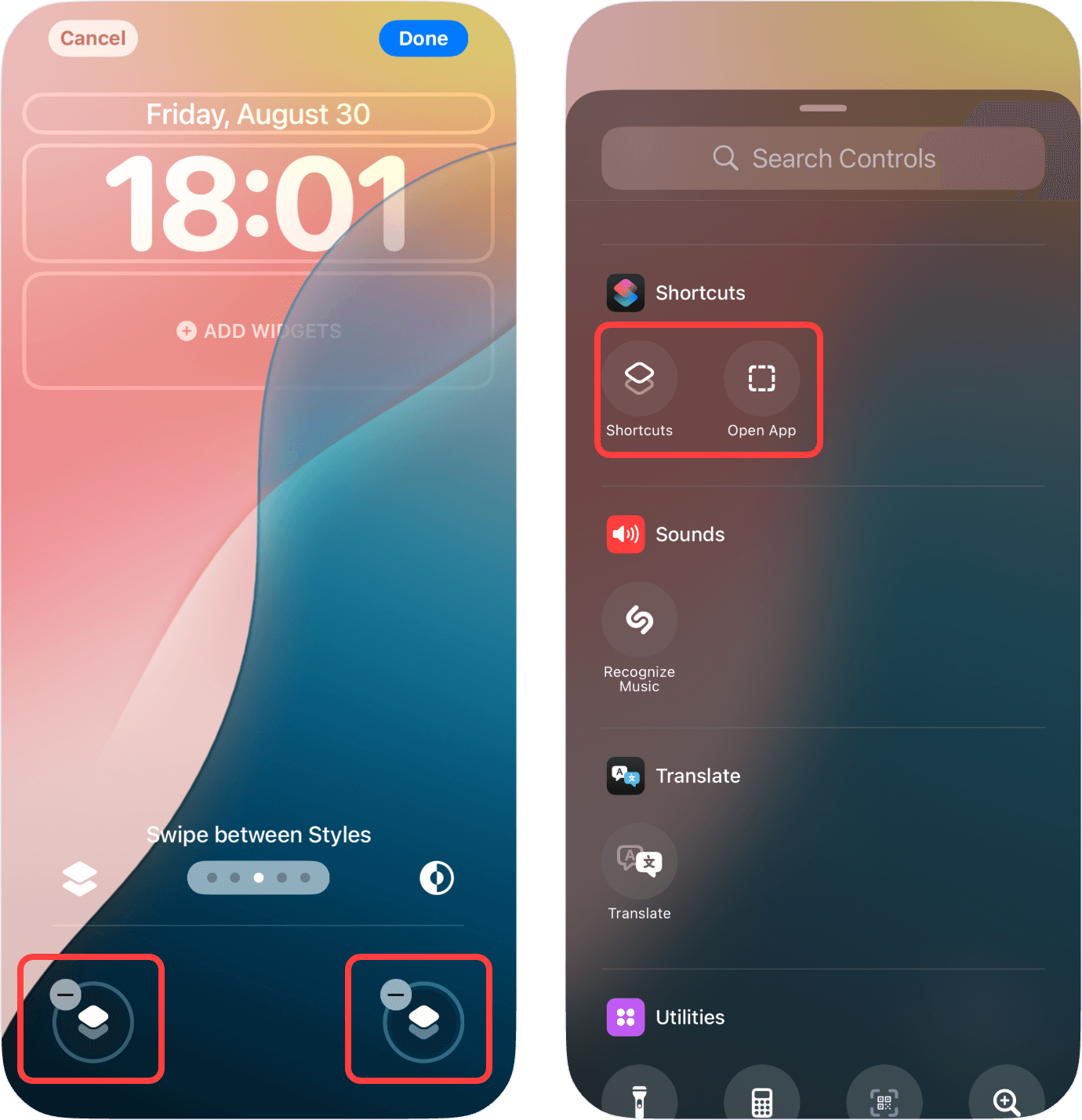
2. Delete any existing shortcut switches, then click on 【Add】. Find 【Shortcuts】in the list and select the command you want to run.
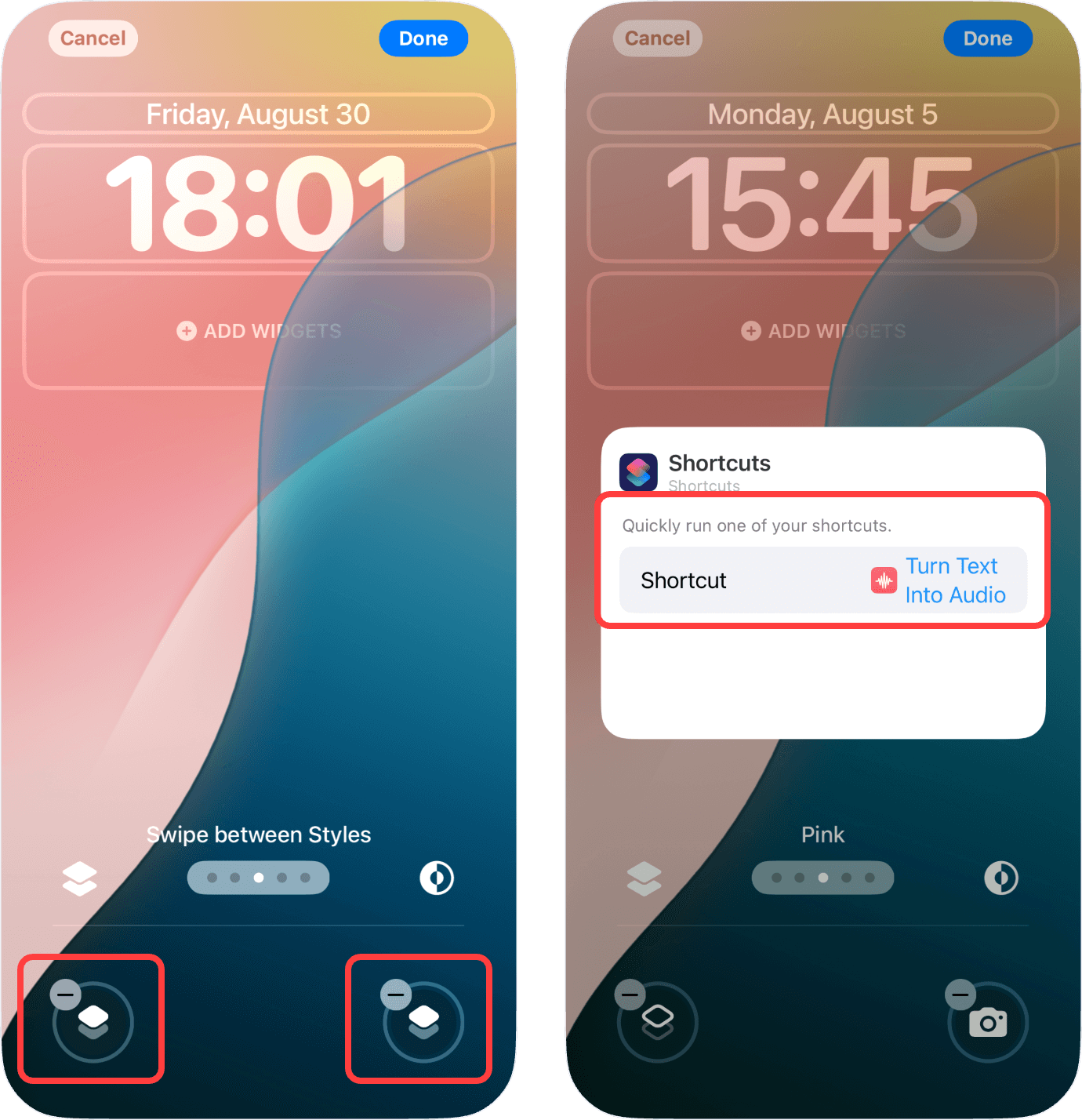
3. If a shortcut has already been added, you can click on the 【Shortcuts Icon】in the lock screen edit mode to select a different command you wish to run.