.png)




Installation Tutorial for OPPO Widgets
Installation Tutorial for OPPO Widgets
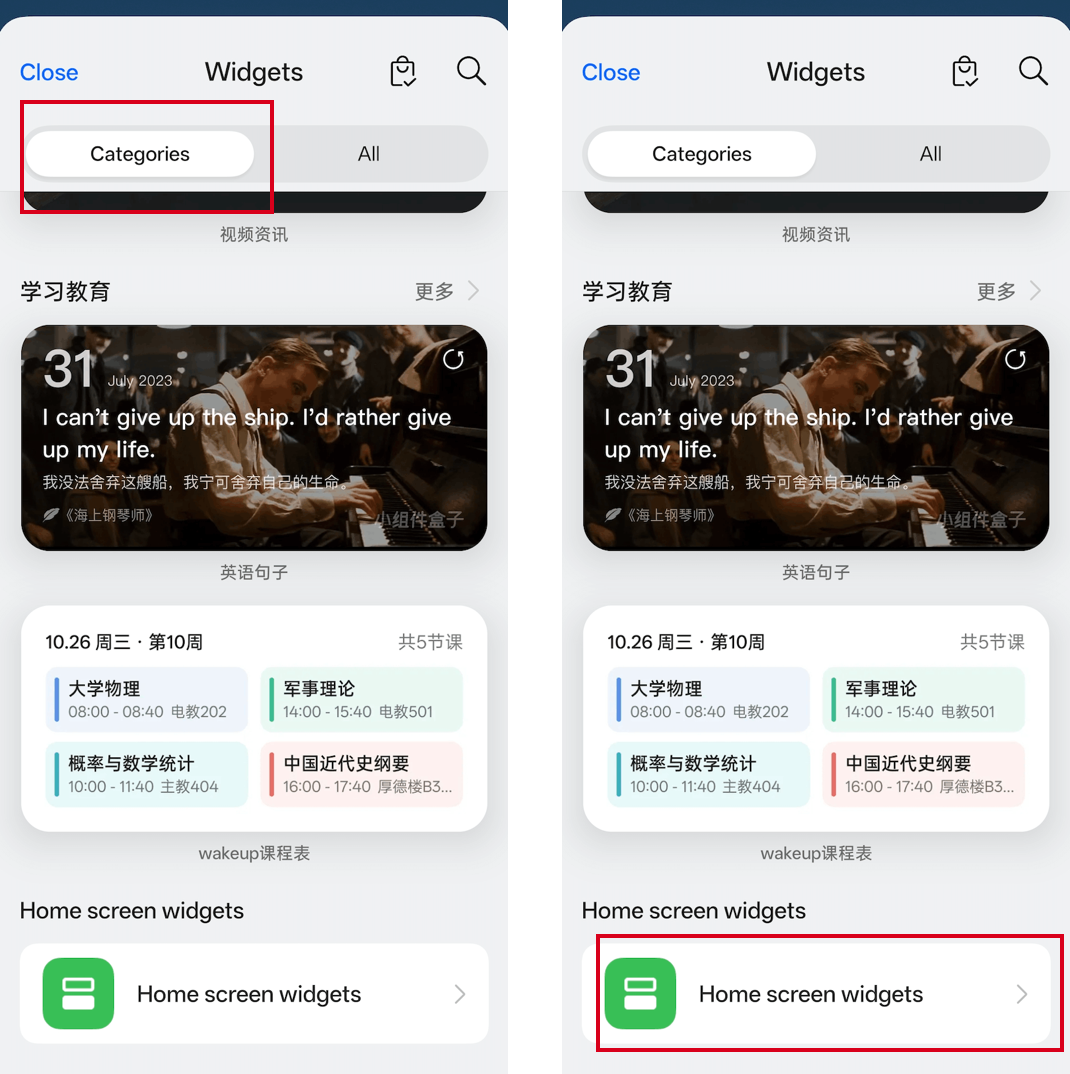
Return to the home screen. Long - press or pinch the blank area of the mobile phone desktop with two fingers to enter the editing mode. Then click "Add"/"Widgets"/"Applets"/"Tools"/"Atomic Components"/"Cards"/"Plugins"/"Hanging Accessories"/"Desktop Hanging Accessories" (the names may vary depending on different models) at the bottom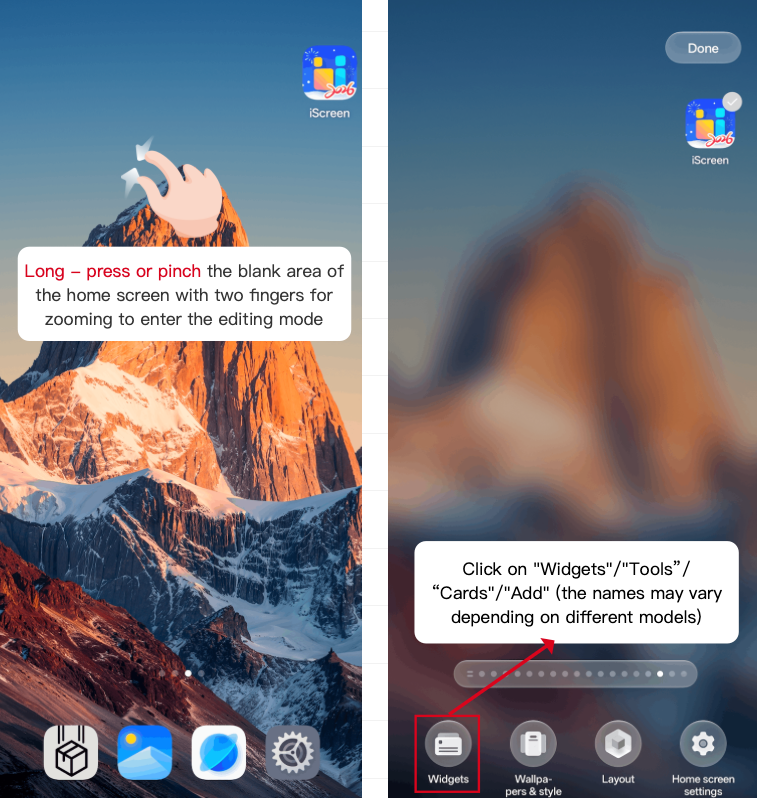 #In the widgets, select the categories, scroll down, find the option of home screen widgets, and click on it.
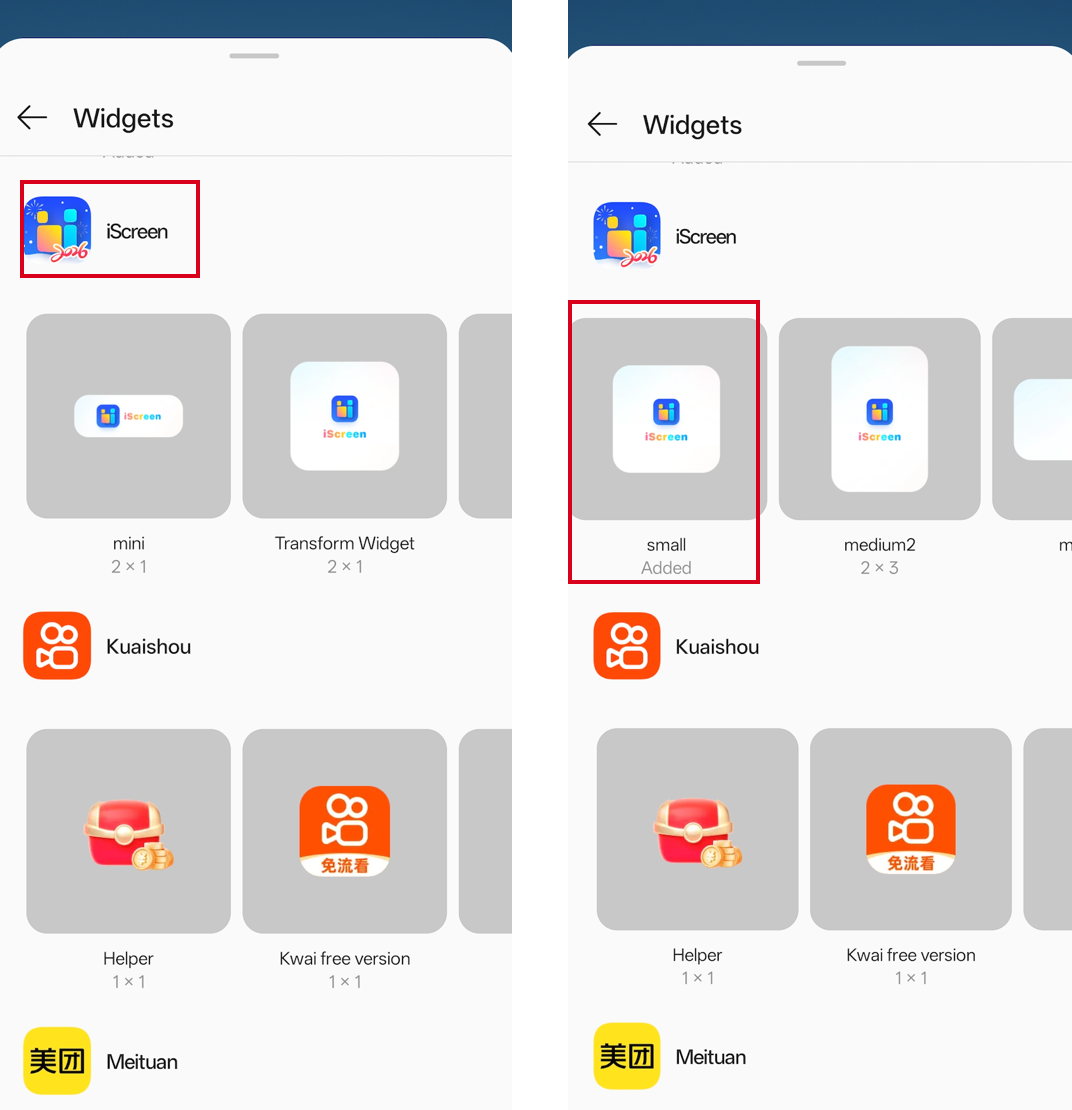
 #Find iScreen in the list, select the widget size, and then click or drag the widget to the home screen
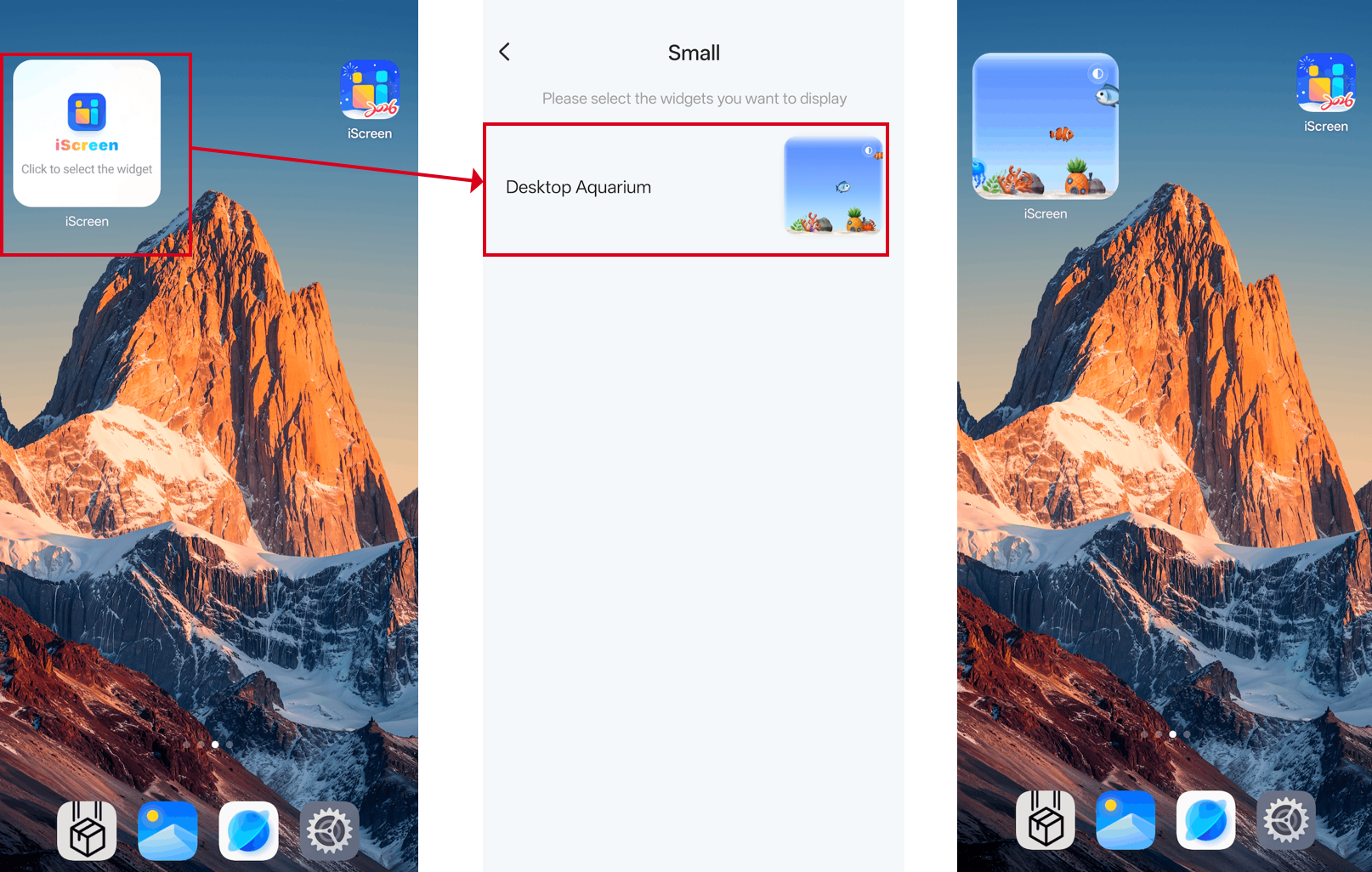
 #Select the widget you want to display, and the widget addition is completed.